
HP laptops are generally reliable, which is why screen problems catch people off guard. One day everything looks normal, and the next you’re dealing with a crack, a dim display, or a screen that refuses to show anything at all. That’s usually when people start searching for hp laptop screen repair, trying to figure out whether the issue is serious or something that can be fixed easily.
The reality is that most screen issues fall somewhere in the middle. They’re disruptive enough to make the laptop hard to use, but not necessarily severe enough to replace the entire device. Understanding what’s actually wrong is the first step towards fixing it properly.
Different HP Models, Different Repair Considerations
Not all HP laptops are built the same. Pavilion, Envy, EliteBook, and Omen models all have different designs and internal layouts. Some are easier to open and repair, while others are more compact and require careful handling.
This matters because screen repair is not just about replacing a panel. It involves dealing with connectors, hinges, and sometimes integrated components. A technician familiar with HP devices will approach each model differently, which is why users often search specifically for hp laptop screen repair near me rather than general repair services.
The Types of Screen Issues You’re Likely Facing
Screen problems usually fall into a few clear categories, even if they don’t look the same at first.
Visible Cracks or Pressure Marks
These are the easiest to identify. Physical damage almost always means the screen needs to be replaced.
Flickering or Intermittent Display
If the screen works sometimes but not consistently, the issue could be with internal connections or failing components.
Lines, Dead Pixels, or Colour Distortion
These issues often indicate damage to the display panel itself, even if there’s no visible crack.
Completely Black Screen
This can be misleading. Sometimes the laptop is running, but the display is not responding. The issue may not be the screen alone.
Each of these scenarios leads users towards hp laptop broken screen repair, but the solution depends on the exact cause.
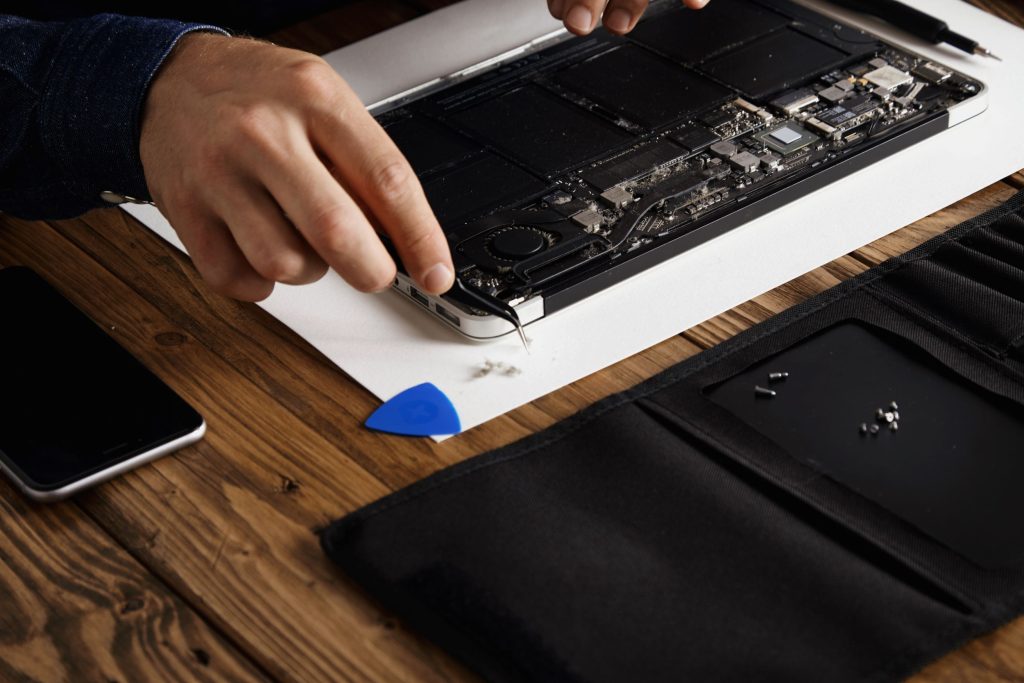
What Actually Happens During a Screen Repair
People often imagine screen repair as a complicated process, but it’s more structured than it looks.
First, the technician confirms that the problem is the screen itself. This avoids unnecessary replacements. Once confirmed, the correct screen is selected based on the model and specifications.
The damaged screen is then removed carefully, and the new one is installed and tested. A proper hp laptop screen repair ensures that everything functions correctly before the device is returned.
Can You Replace an HP Laptop Screen Yourself?
Technically, yes. Practically, it depends.
Some HP models allow relatively easy access to the screen, while others are more difficult. The main challenge is not removing the screen, it’s doing it without damaging other components.
Cables are fragile, and connections are tight. Without the right tools and experience, it’s easy to create more problems. That’s why many users who attempt DIY repairs eventually look for professional hp laptop screen repair cost near me services.
Time Required: What to Expect
Screen repairs are usually faster than people expect.
If the replacement screen is available, the repair can often be completed within a few hours. If the part needs to be ordered, it may take a day or two.
Most hp laptop screen repair services aim to minimise downtime and get the laptop back in working condition quickly.
Cost Range in the UK
Cost varies depending on the model and type of screen.
Standard HP laptop screens are generally more affordable, while high-resolution or touchscreen displays can cost more. Typical UK prices range from £60 to £250.
While that might seem high, it’s still significantly cheaper than replacing the laptop. For most users, choosing hp laptop screen repair in UK is the more practical option.
When Repair Is the Right Decision
If the laptop is otherwise working well, repairing the screen is almost always worth it. Even older devices can benefit from a new screen if the cost is reasonable.
However, if the laptop has multiple issues, such as poor performance and battery problems, it might be worth considering a replacement. A technician can help you decide the best option.
Avoiding Screen Damage in the Future
Once the screen is repaired, preventing future damage becomes important.
Simple habits can help:
- avoid placing pressure on the laptop
- close the lid carefully
- use a protective case when travelling
These small steps reduce the chances of needing another hp laptop screen repair kit in the future.
Why Professional Repair Is Still the Safer Choice
Even though DIY repair is possible, professional services offer reliability.
Technicians use proper tools, correct parts, and tested procedures. They also ensure the repair is done correctly the first time.
For most users, choosing a professional hp laptop screen repair service avoids unnecessary risks and ensures better results.
What You Should Expect After the Repair
A properly repaired screen should feel completely normal. The display should be clear, stable, and responsive.
There should be no flickering, no dead pixels, and no unusual behaviour. If the repair is done correctly, the laptop should feel as usable as it did before the issue started.
Final Thought
A damaged screen can make even a powerful laptop feel useless, but it doesn’t have to stay that way. Most screen issues can be fixed quickly and effectively with the right approach.
Understanding the problem, choosing the right repair method, and acting early are the key steps. With proper hp laptop screen repair Bradford, your device can be restored without unnecessary cost or stress.
FAQ’s
hp laptop screen repair usually costs between £70 and £250 depending on the model.
Yes, most hp laptop screen repair services replace damaged screens quickly.
Most hp laptop screen repair jobs are completed within a day.
Common causes include drops and pressure requiring hp laptop screen repair.
Yes, hp laptop screen repair is cheaper than buying a new device.